Streaming Equipment is usually discussed as a shopping list: capture card, microphone, camera, lights, and a computer powerful enough to keep the whole arrangement from collapsing. That list is useful, but incomplete. If you are streaming a PS2, original Xbox, or GameCube, the difficult part is not simply making the image appear on Twitch or YouTube. It is preserving the particular shape of that image, including its softness, delay, room tone, and occasional visual roughness.
A good setup should disappear behind the game. You should not spend half an evening chasing an audio hum while the opening of Silent Hill 2 waits on the title screen. The right Streaming Equipment makes the signal dependable without turning your room into a bright studio or your hobby into a second job.
Start with the signal, not the shopping cart
The first decision is how the console reaches the display and the computer. Older systems often output through composite, component, RGB SCART, or HDMI adapters, depending on the console and region. A basic USB capture card can accept HDMI, but it cannot magically improve a noisy analog signal. A poor adapter followed by expensive Streaming Equipment still produces a poor source.
For a simple modern conversion, an HDMI adapter designed for the specific console is usually the least frustrating route. The RetroTINK-5X Pro and RetroTINK-4K are popular among enthusiasts because they handle scaling and deinterlacing more intelligently than inexpensive generic converters. An OSSC is another strong option, especially for players who want low latency and considerable control over the image. These devices are not interchangeable in behavior. Some soften jagged edges; others preserve hard pixel transitions that can make a game look colder but more faithful.
If you play through an upscaler, feed its HDMI output into the capture card and then pass it to your monitor or television. Test the passthrough before buying anything else. A capture card that adds noticeable delay can make a familiar game feel subtly wrong.
Choosing a capture card for old consoles
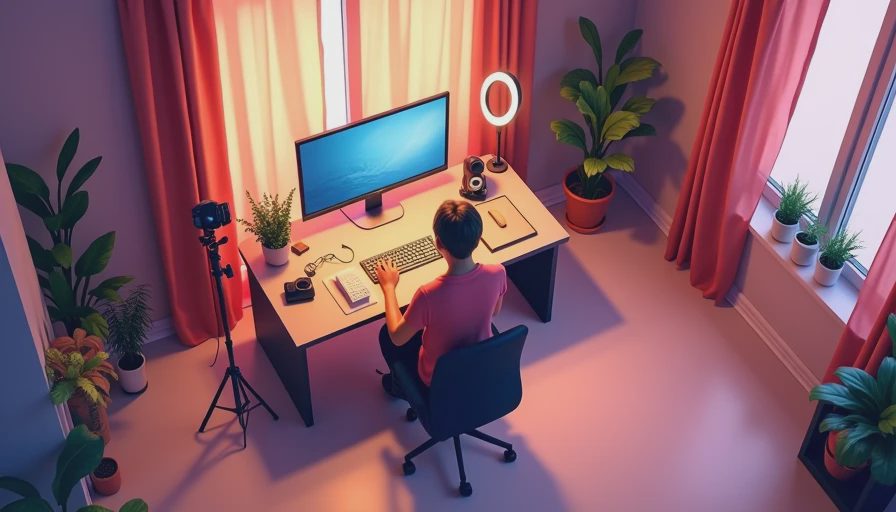
Streaming Equipment for retro consoles does not need to be extravagant. Elgato HD60 X is a convenient choice for 1080p capture and low-latency passthrough, while AVerMedia offers comparable devices with different software and connection options. For most sixth-generation games, 1080p capture is sufficient. Recording at 4K will not create texture detail that was never present on the disc.
Pay attention to input compatibility, refresh rates, and whether the device works cleanly with OBS Studio. Some inexpensive capture cards advertise 4K support but only pass through that resolution while recording at a lower frame rate. That may be fine for a budget setup, but the limitation should be known before purchase. USB 3.0 is preferable for consistent capture, and a desktop computer with a modern processor should handle a single 1080p source without drama.
Do not ignore the cable path. A short, shielded HDMI cable and a powered USB connection can prevent intermittent black screens. Add one device at a time, then test for five minutes. When everything is connected at once, diagnosing a missing signal becomes an archaeological dig.
Audio is where the room enters the stream
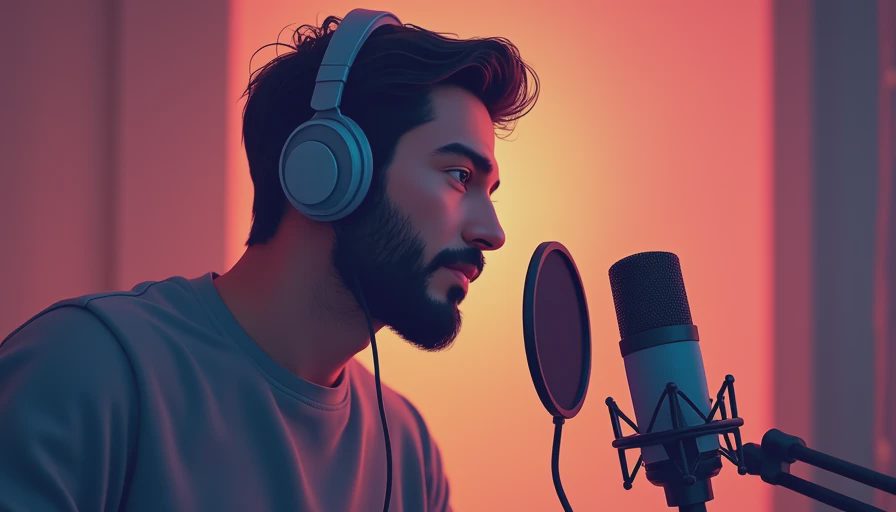
Video gets the attention, but audio is where viewers decide whether they can stay. The console soundtrack, your voice, and the room itself occupy different parts of the signal. A USB microphone such as the Audio-Technica ATR2100x-USB or Samson Q2U gives a clean starting point without demanding a mixer. Dynamic microphones are often forgiving in bedrooms and offices because they reject more distant noise than sensitive condenser models.
Place the microphone close to your mouth, roughly four to six inches away, and speak across it rather than directly into the capsule. In OBS, use a limiter to prevent sudden laughter from clipping, a compressor to reduce the distance between quiet and loud speech, and a modest noise gate if your computer fan is intrusive. Avoid aggressive noise suppression. It can remove the low, human texture from speech and leave every sentence sounding processed.
Streaming Equipment should help you hear the same balance your audience receives. Wear closed-back headphones during testing. The game should be present, not dominant, and your voice should not float over it like commentary pasted onto a different recording. Capture a short scene with music, dialogue, and silence before going live.
Lighting and camera choices that do not become theater
A camera is optional. For analysis-driven streams, a clear voice and readable game image matter more than a facecam occupying a corner. If you use one, a Logitech Brio or a recent 1080p webcam is adequate for most rooms. Put it at eye level and frame your face against a quiet background. The goal is presence, not an imitation of a news desk.
One soft key light placed slightly to the side is usually better than several cheap RGB panels. A dimmable LED panel between $30 and $80 can make eyes readable without flooding the room. Turn off overhead lighting if it creates a hard shadow under your brow. Older games often contain dark interiors and muted color grading, so an overexposed face beside them creates a strange visual argument: the game whispers while the streamer shines.
This is where Streaming Equipment becomes a question of atmosphere. A clean desk, subdued light, and controlled background can support the feeling of a late-night play session. More equipment can make the stream technically brighter while making it emotionally flatter.
OBS settings for a stable, honest image
OBS Studio remains the practical center of most Streaming Equipment setups because it supports scenes, audio filters, recording, and streaming without requiring a proprietary ecosystem. Create separate scenes for gameplay, a brief starting screen, and an ending screen. Keep transitions short. A five-second animated package is still five seconds in which the game is absent.
For Twitch, 1080p at 60 frames per second can be demanding depending on bitrate and connection. Retro games frequently run at 30 frames per second or use unusual interlacing, so 60 fps is not automatically more truthful. A 1080p30 stream with stable motion can look better than a 60 fps stream full of compression breakup. Record locally at a higher quality when you want an archival copy, then stream a more conservative version.
Use separate audio tracks for the microphone and game when recording. That small decision gives you room to lower a loud soundtrack or remove a cough during editing. Name your sources clearly, save a backup scene collection, and keep a written note of your working settings. Your future self will not remember which filter solved the hum.
A practical setup under different budgets
A modest Streaming Equipment package can begin with a console-specific HDMI adapter, an Elgato HD60 X or similar capture card, a Samson Q2U microphone, OBS Studio, and the computer you already own. Expect roughly $250 to $450 beyond the console, depending on the scaler and cables. This is enough for a clear, credible stream.
A more careful setup might use an OSSC or RetroTINK scaler, a better microphone arm, closed-back headphones, a dedicated key light, and a wired network connection. That can reach $600 to $1,000, but the money should go toward signal stability and sound before decorative panels or branded overlays. A $25 animated border cannot repair dropped frames.
Before going live, run this checklist: boot the console, confirm passthrough, listen for hum, check microphone levels, record two minutes, watch the recording, and verify that the game does not overpower your voice. Then test the setup again the next day. Reliability is not glamorous, but it leaves more attention for the reason you started streaming: to spend time with games that still have something unresolved inside them.
Streaming Equipment should serve that attention. Higher resolution is not the same thing as higher memory. The best setup is the one that lets the old image arrive intact, lets your voice sit beside it without covering it, and stays quiet enough for the game to remain alive.

No notes yet — write the first one.