Mechanical Keyboards are often sold as objects of performance: faster inputs, cleaner key presses, programmable layers, and a sound that announces serious intent. That language is accurate, but incomplete. For a retro-gaming desk, the appeal is less about becoming a more efficient person and more about restoring texture to an activity that has gradually been polished smooth. A keyboard can make a desk feel inhabited again.
I notice this most after an evening with an older game. The console may be connected through an upscaler, the image sharper than it ever was on a living-room television, and the controller perfectly maintained. Then I return to a modern desktop interface, where every surface is silent glass and every command arrives with the same soft membrane thud. The contrast is strange. Games built around limitation suddenly sit beside hardware designed to remove all resistance.
Mechanical Keyboards occupy the gap between those experiences. They are not automatically better, and no switch will make a mediocre port understand the atmosphere of a quiet PS2 hallway. They can, however, give writing, browsing, emulation, and configuration work a physical presence. That matters when your free time has narrowed and every small ritual has to justify its place.
Why a tactile desk changes the mood
The useful distinction is not simply mechanical versus nonmechanical. It is feedback versus absence. A traditional membrane keyboard usually collapses the press into a soft landing. You press, the command registers, and your fingers receive little information beyond the bottom of the key. Mechanical switches separate those stages. A tactile switch provides a noticeable bump, while a clicky switch adds an audible mechanism. Linear switches move smoothly from top to bottom without a tactile interruption.
That difference resembles the older games many of us still return to. Their interfaces exposed the system. Menus clicked. Loading screens waited. Inventory management had a rhythm. The machine did not pretend to be invisible. Mechanical Keyboards bring a small version of that honesty back to the desk. The board tells you what happened instead of making you infer it from a screen.
There is also a practical benefit. If you spend an hour documenting a forgotten game, writing forum posts, or organizing ROM files, clear feedback can reduce the vague fatigue caused by repeated soft presses. It will not fix poor posture, a bad chair, or an oversized layout. It can make each keystroke feel deliberate rather than disposable.
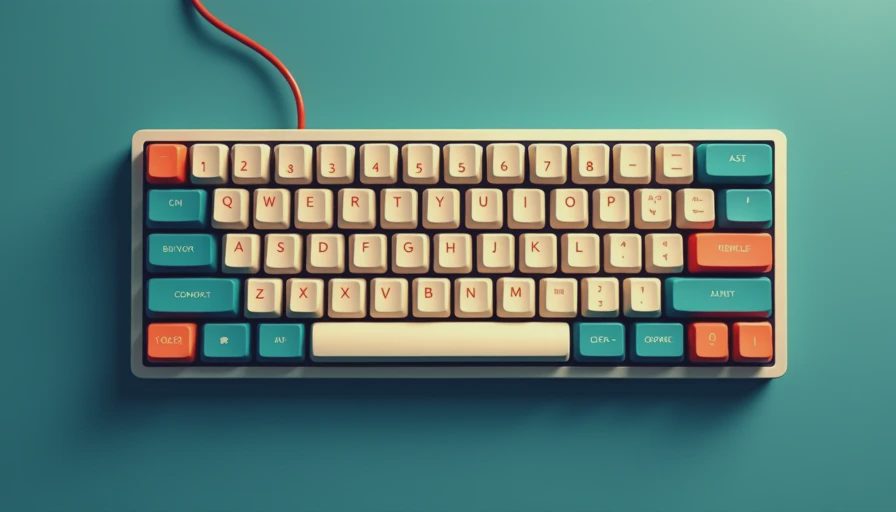
Switches are the real decision
Cherry MX Red switches remain a familiar reference point: linear, light, and relatively easy to find in mainstream boards. Gateron Red and Kailh Box Red switches offer similar linear behavior in many affordable models. These are sensible choices for someone who wants a smooth board for gaming and general use without a pronounced bump.
Tactile options such as Cherry MX Brown, Gateron Brown, and Boba U4T-style switches provide more resistance near the top of the press. Browns are often described as a compromise, though that word makes them sound less intentional than they are. They suit people who write frequently and want confirmation without the sharp noise of a click jacket. Stronger tactiles feel more like a deliberate instrument and can be satisfying for long-form notes, but they demand a little more force.
Clicky switches, including Cherry MX Blue and Kailh Box Jade, are the most theatrical. Their sound can recall an office, a laboratory, or an old computer room depending on the case and keycaps. They are enjoyable in a private room and difficult in a shared apartment. The noise is not a defect; it is simply part of the contract. Mechanical Keyboards reward choosing the sensation you actually want instead of buying the switch attached to the most popular recommendation.
Layout matters more than RGB
A full-size keyboard includes a number pad, navigation cluster, and function row. It is useful for spreadsheets and frequent numeric entry, but it consumes desk space that could hold a mouse, notebook, or small console. A tenkeyless board removes the number pad while keeping the function row. For most retro-gaming desks, that is the most balanced starting point.
The 75 percent format compresses the navigation cluster while preserving arrow keys and a function row. It feels organized without looking sparse. A 65 percent board removes the function row but keeps arrows, making it attractive for smaller desks. Sixty percent boards are cleaner still, though functions such as Page Up, Escape alternatives, and media controls move behind layers.
Those layers are manageable until you are troubleshooting an emulator at midnight and cannot remember which key combination changes the frame limiter. Mechanical Keyboards with programmable firmware can solve that problem through custom layers, but customization creates maintenance of its own. A simple layout that you understand is worth more than a dazzling layout that interrupts your attention.
Case, keycaps, and the sound of a room
The case changes the board's voice. Aluminum cases tend to produce a sharper, denser sound and can add weight that keeps the keyboard steady. Plastic cases are lighter and often produce a softer or hollower tone. Neither is automatically superior. A hollow case can feel imperfect in the same way an old console fan or disc drive can feel present rather than invisible.
Keycap material matters too. ABS keycaps often develop a smooth shine over time, while PBT keycaps resist that polished appearance and usually produce a deeper, less slippery feel. A thick desk mat can soften the bottom-out noise, and small foam modifications can reduce hollowness. Do not treat every sound test online as a promise. Microphones, cases, switches, and room surfaces all alter the result.
Mechanical Keyboards can become absurdly expensive when every upgrade is framed as necessary. A competent hot-swappable board from brands such as Keychron, Akko, or Royal Kludge may cost roughly $60 to $130. Better stabilizers, switches, and keycaps can push a build beyond $200. The extra money buys refinement, not a new category of human experience.

A sensible setup for retro players
Start with the work you actually do. If the keyboard sits beside a PC used for emulation, writing, and occasional modern games, choose a tenkeyless or 75 percent board with reliable wired USB-C connectivity. Wireless is convenient, especially on a crowded desk, but a cable removes one more battery and pairing concern from the evening.
Choose a moderate tactile switch if you write more than you compete. Choose a light linear switch if you move rapidly between games and do not want resistance to become part of every press. Choose clicky only after hearing one in person or listening to a realistic recording with headphones. Product pages often describe sound with adjectives that conceal more than they reveal.
Then spend the remaining budget on comfort: a stable desk mat, a wrist position that does not force extension, and a monitor height that keeps your neck neutral. Mechanical Keyboards cannot compensate for an uncomfortable workstation. They can make the workstation feel less like a temporary command center and more like a room where someone has chosen to remain.
The old hardware feeling, without pretending it is 2003
The best retro setup is not a museum recreation. It is a conversation between periods. An original GameCube controller can sit beside a modern display. A PS2 can run through new video hardware. A contemporary keyboard can handle the research, writing, and emulation tools surrounding those older machines.
That is why I resist the claim that Mechanical Keyboards are automatically more authentic. Authenticity is not measured by how loudly a desk imitates a past decade. It comes from preserving friction where friction adds meaning, and removing it where it only wastes time. A clean USB connection is an improvement. A familiar key feel can be an emotional detail. Neither needs to become a doctrine.
Higher resolution is not the same thing as higher memory, and a louder keyboard is not automatically a more memorable one. Choose the board that gives your hands useful information, fits the space you have, and lets the night retain its quiet edges. The right purchase will not make an old game new. It may make the act of returning to it feel intentional again.





No notes yet — write the first one.